前言
一、为什么要“把图变成字”
二、整体流程
PNG 文件夹 → 映射表 → nanoemoji → TTF → CDN → @font-face → <input> 里打字出 Emoji
三、本地打包:png → ttf(30 秒)
1. 安装依赖(一次性)
# mac / Linux / WSL 均可
# 创建并进入 Python 隔离环境,避免包污染系统
python -m venv venv && source venv/bin/activate
# 升级安装 nanoemoji 工具:把 PNG/SVG 打包成彩色字体
pip install -U nanoemoji
2. 准备素材
emojis/
 ├─ grin.png
 ├─ cool.png
 └─ …
3. 生成映射表(自动)
cd emojis/
# 把当前目录下所有 png 文件列出来,自动生成“文件名→Unicode私有码位”映射表,保存为 config.csv
ls *.png | awk '{printf "%s,U+C%04X\n",$0,NR+0xC000}' > config.csv
示例输出
grin.png,U+C001
cool.png,U+C002
4. 一键打包
nanoemoji \
  --config config.csv \
  --output_file emojifont.ttf \
  --color_format sbix        # 彩色位图,兼容主流浏览器
5. 上传 CDN
# 上传至阿里云 OSS(提前安装并配置 ossutil)
ossutil cp emojifont.ttf oss://yourbucket/font/
外链示例
https://cdn.yourdomain.com/font/emojifont.ttf
四、前端:只在 <input> 里渲染 Emoji
1. 引入字体
@font-face {
  font-family: "iconfont";
  src: url("https://cdn.yourdomain.com/font/emojifont.ttf") format("truetype");
}
2. 输入框样式
.emoji-input {
  font-family: iconfont, system-ui, sans-serif;
  font-size: 24px;
  line-height: 1.2;
  width: 100%;
  padding: 8px;}
3. HTML 结构
<!-- 表情按钮 -->
<button class="emoji-btn" data-code="\uC001"></biaoingbutton>
<button class="emoji-btn" data-code="\uC002">biaoqing</button>

<!-- 核心:普通 input,却能实时显示彩色 Emoji -->
<input
  id="msgInput"
  class="emoji-input"
  maxlength="100"
  placeholder="点表情 / 直接打字"
/>

<button id="sendBtn">发送</button>
4. 插入逻辑
<!-- Vue3 Composition API 示例 --><template>
  <!-- 表情按钮 -->
  <button
    v-for="({ icon, code }, idx) in emojiList"
    :key="idx"
    @click="insertEmoji(code)"
  >
    {{ icon }}
  </button>

  <!-- 输入框 -->
  <input
    ref="inputRef"
    v-model="msg"
    maxlength="100"
    placeholder="点表情 / 直接打字"
  />

  <!-- 发送 -->
  <button @click="send">发送</button></template><script setup>import { ref } from 'vue'/* 数据 */const msg = ref('')const inputRef = ref(null)const emojiList = [
  { icon: 'biaoqing', code: '\uC001' },
  { icon: 'biaoqing', code: '\uC002' }]/* 方法 */function insertEmoji(code) {
  const el = inputRef.value  if (!el) return
  const [start, end] = [el.selectionStart, el.selectionEnd]
  const newValue =
    msg.value.slice(0, start) + code + msg.value.slice(end)
  msg.value = newValue  // 恢复光标位置
  nextTick(() => {
    el.setSelectionRange(start + code.length, start + code.length)
    el.focus()
  })}function send() {
  console.log('发送内容:', msg.value) // 含 \uC001 等
  alert(`已发送:${msg.value}`)
  msg.value = ''}</script>
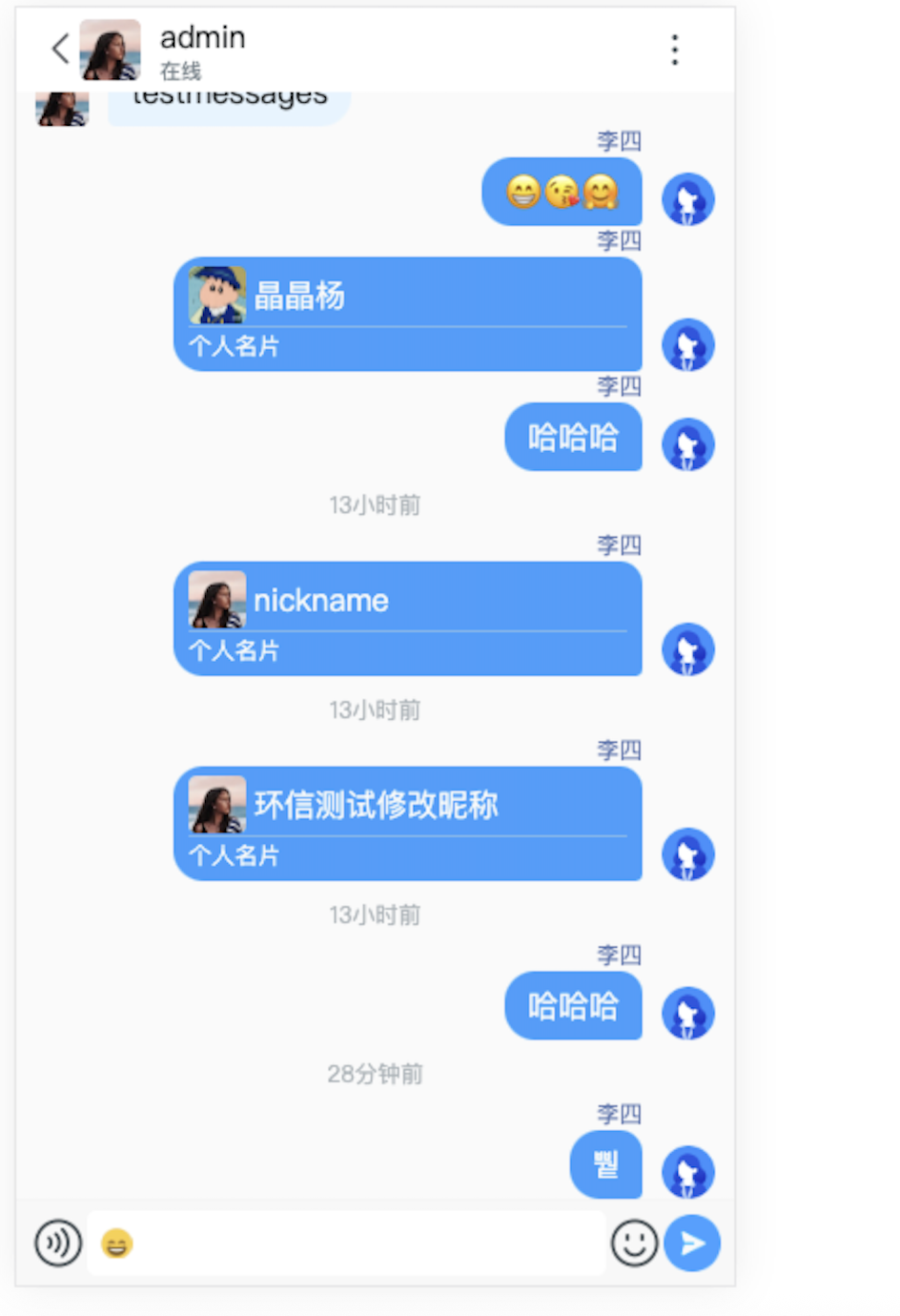
5. 效果
五、常见坑 & 速查表
| 问题 | 解决方式 |
|---|---|
| 字体跨域 403 | CDN 加 Access-Control-Allow-Origin:* |
| 码位冲突 | 坚持私有区 U+C000 ~ U+CFFF |
| 小程序 web-view | 白名单 + base64 内嵌(<30 KB) |
六、一条命令总结
# ① 安装
pip install -U nanoemoji

# ② 进目录
cd emojis/

# ③ 自动生成映射表
ls *.png | awk '{printf "%s,U+C%04X\n",$0,NR+0xC000}' > config.csv

# ④ 打包
nanoemoji --config config.csv -o emojifont.ttf --color_format sbix

# ⑤ 上传
上传至你的CDN服务